
Download Microsoft Office 2010 IconPack – Classic Office Icons for macOS
Overview
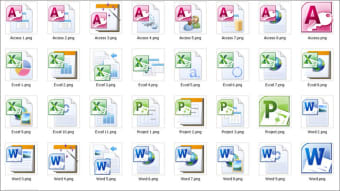
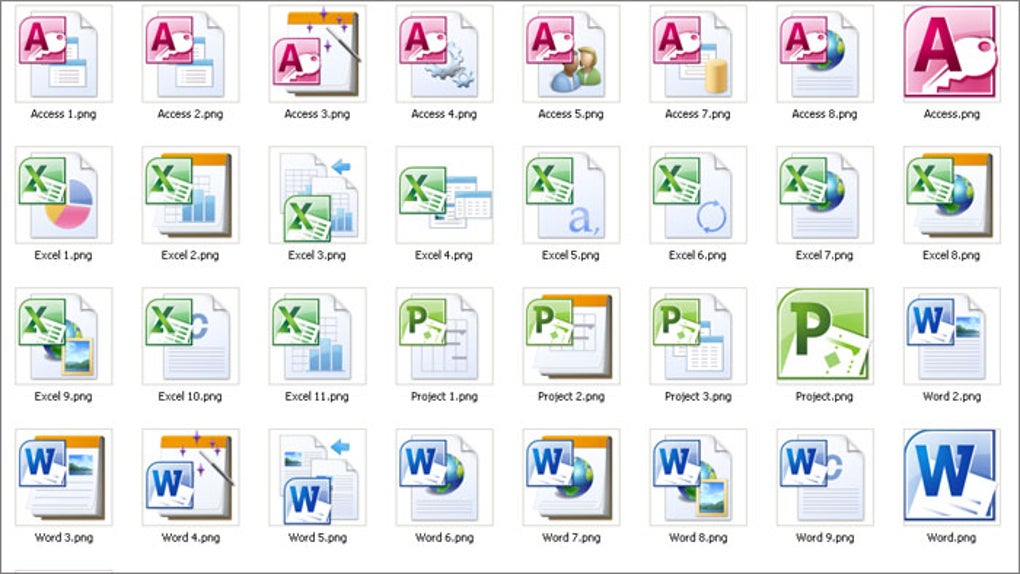
The Microsoft Office 2010 IconPack for Mac is a free, high‑resolution icon collection that brings the nostalgic look of the classic Office 2010 suite to modern macOS environments. While it does not add new functionality to Microsoft Office, the pack dramatically changes the visual aesthetic of Word, Excel, PowerPoint, Outlook, and related file types. By swapping the default, minimalist icons introduced in recent Office versions with the iconic 2010 designs, users can create a more personalized and familiar workspace.
The pack includes 60 icons in both ICO and PNG formats, each rendered at 256 × 256 px to ensure crisp rendering on Retina displays. Because the icons are purely cosmetic, they work seamlessly with Microsoft 365 apps such as Office 2016, Office 2019, and the older Office 2011 for Mac, without impacting performance or stability. The installation process is straightforward, requiring only a few clicks in Finder’s “Get Info” window or a third‑party icon manager like CandyBar.
Whether you’re a longtime Office veteran who misses the classic ribbon‑ready visuals, or a design‑focused user who enjoys tailoring every pixel of the desktop, the Microsoft Office 2010 IconPack offers a safe, free, and instantly recognizable makeover for your productivity suite.
Key Features of the Microsoft Office 2010 IconPack
- High‑Resolution Retina‑Ready Icons – Every icon is delivered at 256 × 256 px in both ICO and PNG formats, guaranteeing sharpness on every Mac screen.
- Comprehensive 60‑Icon Collection – Includes icons for Word, Excel, PowerPoint, Outlook, OneNote, Access, Publisher, as well as common file‑type icons (e.g., .docx, .xlsx, .pptx).
- Cross‑Version Compatibility – Works with Office 2011, Office 2016, Office 2019, and Microsoft 365 apps, allowing you to keep a vintage look while using the latest features.
- Easy Customization – Icons can be swapped manually via Finder’s “Get Info” pane or automatically with tools like CandyBar, making the process user‑friendly even for non‑technical users.
- Mac‑Native Integration – The pack integrates directly with macOS Finder and the Office applications, so the new icons appear instantly across the system.
- Free Download – No hidden fees or registration required; simply download, extract, and start customizing.
- Retains Full Office Functionality – Because the icons are cosmetic only, all Office features, updates, and licensing remain untouched.
Installation, Usage, Compatibility, and Pros & Cons
Step‑by‑Step Installation Guide
- Download the pack – Click the “Download” button on the official page and save the ZIP file to your Downloads folder.
- Extract the archive – Double‑click the ZIP to unzip it; you’ll see a folder named “Office2010_Icons” containing PNG and ICO files.
- Locate the Office app – Open Finder, go to the
Applicationsfolder, and find the Microsoft Office app you wish to change (e.g., Microsoft Word.app). - Open the Get Info window – Right‑click the app icon and select Get Info (or press ⌘+I).
- Copy the new icon – In the extracted folder, select the desired PNG or ICO file, press ⌘+C to copy.
- Paste the icon – Click the small icon thumbnail at the top‑left of the Get Info window and press ⌘+V to paste. The new Office 2010 icon appears instantly.
- Repeat for other apps – Follow the same steps for Excel, PowerPoint, Outlook, etc., to complete the suite makeover.
- Optional: Use an icon manager – Tools like CandyBar let you batch‑apply icons, revert changes, and store custom icon sets for future use.
Compatibility Details (macOS 10.12 Sierra and later)
The IconPack is built for modern macOS versions, including macOS Monterey, Ventura, and the upcoming macOS Sonoma. It works with the native Office apps that run on macOS, meaning you can apply the icons to Office 2011, Office 2016, Office 2019, and the desktop components of Microsoft 365 (formerly Office 365). Because the icons are purely visual, there is no risk of breaking updates, add‑ins, or licensing checks. Users who run Office through virtualization (Parallels, VMware Fusion) can also use the icons inside the macOS side of the VM, though the icons will not appear inside the Windows version of Office.
Pros & Cons
- Pros
- Free, no hidden costs.
- High‑resolution, Retina‑ready graphics.
- Large collection covering all major Office apps and file types.
- Simple installation that anyone can perform.
- Fully compatible with current Office versions and Microsoft 365.
- Provides a nostalgic, recognizable look that many users love.
- Cons
- Only cosmetic; does not add new features or performance improvements.
- Requires manual updating if Microsoft releases new app icons.
- Not a standalone app – you must already have Microsoft Office installed.
- Some users may prefer the modern minimalist design of newer Office icons.
Overall Rating: 4 out of 5 stars – The Microsoft Office 2010 IconPack delivers a high‑quality visual overhaul for free, making it an excellent choice for users seeking a classic look without compromising on modern functionality.
Frequently Asked Questions
Is the Microsoft Office 2010 IconPack safe to download?
Yes. The pack is distributed as a simple ZIP file containing only image assets (PNG and ICO). It does not contain executable code, so there is no risk of malware. Always download from the official source or a reputable site.
Will using the IconPack affect my Office updates?
No. The icons are purely cosmetic and are stored in the macOS Finder metadata. Office updates continue to work normally, and the icons will remain unchanged unless you replace them again.
Can I use the IconPack with Microsoft 365 online apps?
The IconPack only changes the icons of the locally installed macOS Office applications. Web‑based Office 365 apps run in a browser, so the icon pack does not affect them.
Do I need any third‑party software to apply the icons?
No. You can manually replace icons via the Finder “Get Info” window. However, if you prefer batch changes or easier management, a tool like CandyBar can simplify the process.
Are there any licensing restrictions for the icons?
The icons are provided free for personal use. Redistribution or commercial resale of the icon pack is not permitted without explicit permission from the author.
Conclusion & Call to Action
If you’ve ever felt a pang of nostalgia when opening an old Office document, the Microsoft Office 2010 IconPack for Mac is the perfect, cost‑free way to bring that classic feel back to your modern workstation. With high‑resolution Retina icons, broad compatibility across Office versions, and a straightforward installation process, the pack lets you personalize your productivity suite without compromising performance or updates. While it doesn’t add new features, the visual upgrade alone can make daily tasks feel fresher and more enjoyable. Download the icon pack today and give your Mac a touch of classic elegance.







